From the master clock
to every department.
LTCast follows the timecode your show already runs on, lets you build the whole show as one script, and gives every department its own live view — with every protocol built in for when a device needs the signal directly.
Follow the clock
Lock to the timecode that is already running the room — nothing changes on stage.
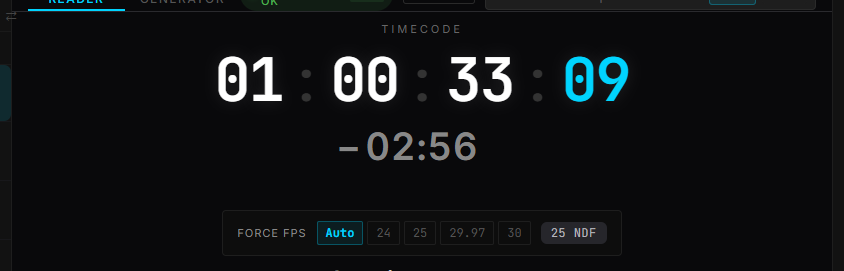
LTC chase
Follow external LTC from any audio input. LTCast works out which channel carries it and locks playback to it in real time.
ManualArt-Net chase
Take timecode over the network instead: Art-Net OpTimeCode from another LTCast, or from any device that sends it. Sync several machines with no audio cables between them.
ManualFreewheel
If the incoming LTC drops for a moment — a bad cable, a paused source — LTCast keeps running at the last rate instead of stopping every output.
ManualTC Bridge
Re-broadcast incoming timecode as MTC, Art-Net, or OSC without touching local playback.
ManualPre-roll timecode
Generating the timecode yourself? Start each song’s clock a few seconds early so consoles lock before the downbeat — the music still comes in exactly on the song’s start timecode.
GuideSeparate music and timecode files
Some houses deliver two files per song. Point LTCast at the folder and it pairs them by exact length, not filename — anything it isn’t sure about waits for you.
GuideBuild the script
Plan the whole show on one timeline: every song end to end, a lane for every department, lyrics timed to the music.
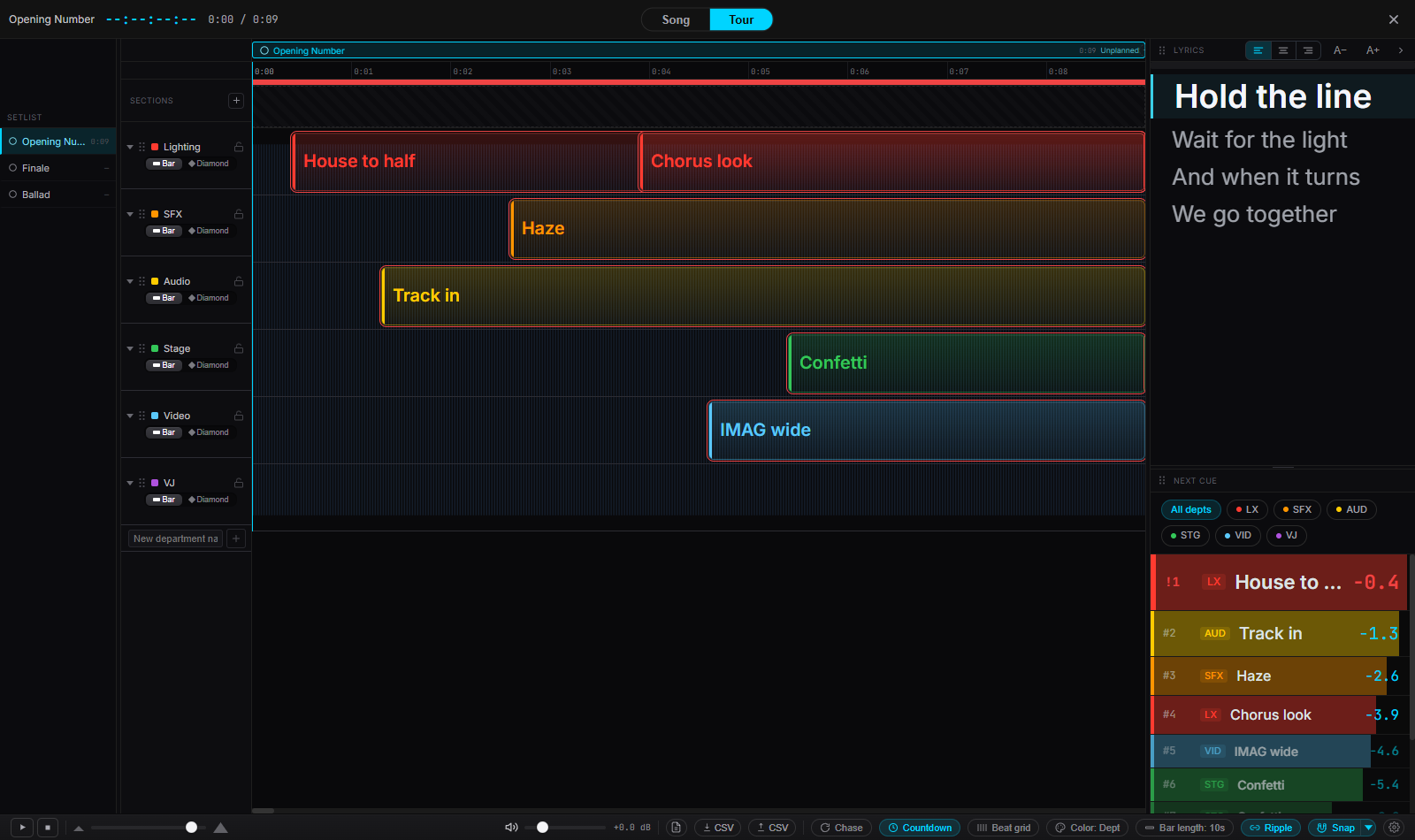
Tour timeline
Every song in the setlist laid end to end on one time axis. Cues are clips you drag, trim, and lock, with undo across the board and a two-way CSV for planning in a spreadsheet.
ManualDepartment lanes
Lighting, audio, video, pyro — name and color your own departments. One cue can target several at once, and every department gets its own lane.
ManualLyrics and AI align
Time every lyric line to the music: tap along, or let AI align time-stamp the untimed lines for you. Lines it isn’t sure of are flagged for review. AI align is a Pro feature, runs on Windows and Apple Silicon Macs, and downloads its engine the first time you use it.
ManualStage positions
Mark stage positions line by line. They show up in the full-screen teleprompter and on the crew’s viewer.
ManualVideo reference
Import the show video and LTCast lines it up with the song by matching its audio. Nudge it by a frame, or pop it out into its own window.
ManualAudio version compare
New master or a re-edit? LTCast matches the old and new versions by sound, finds added or removed sections, and moves every cue onto the new file in one undoable step. Anything uncertain waits for you.
ManualEvery department sees their part
Each department opens a link filtered to just their cues — on a phone, a laptop, or a spare screen. Nothing to install, no briefing.
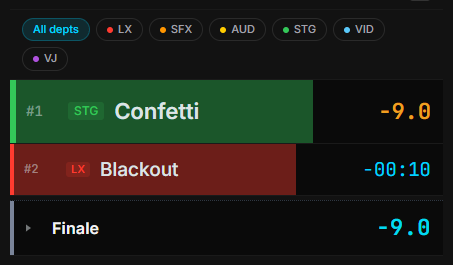
Viewer Mirror
Crew on the same Wi-Fi open a link in any browser: live timecode, the current song, and upcoming cues with standby countdowns, filtered to their department. Read-only, with an optional PIN.
ManualNext Cue
Upcoming cues count down, turn amber at standby and red at GO. Narrow the list to the departments you’re calling, add an audible alert, or pop it out on top of any app.
ManualFull-screen teleprompter
Big-text lyrics for performers or front of house, with the next cue alongside.
ManualStage Monitor
See every connected viewer and the status they report back. Push a text alert to all of them, or HOLD the whole crew with one button.
ManualCloud Share
Share the viewer beyond the venue network with a public link and QR code — for remote operators, or crew on another network. A Pro feature.
ManualDepartment cue sheets
Print a PDF cue sheet for each department. Every handout carries a revision number and marks what changed since the last one.
Drive the rig directly
When a device needs the signal rather than a screen, every protocol is built in — to several destinations at once, with no bridge apps.
LTC, MTC, and MIDI Clock
Generate LTC from any start timecode and route it to any output channels. Quarter-frame and full-frame MTC, plus MIDI Clock at any BPM for drum machines, Ableton, and hardware synths.
ManualArt-Net and OSC
Art-Net OpTimeCode to grandMA, ChamSys, Avolites, and any Art-Net 4 console. Per-cue OSC templates for Resolume, disguise, and WATCHOUT — several consoles and servers at once.
ManualMIDI and OSC triggers
Fire Note, Control Change, Program Change, MIDI Show Control GO, or custom OSC messages at exact timecodes, song by song — and test-fire each one before doors.
ManualConsole exports
Export your cues to grandMA2 / grandMA3 XML, ETC Eos ASCII, or Reaper CSV for Hog 4 and ChamSys MagicQ — no retyping the cue list at the desk.
ManualShow safety
The unglamorous things that keep a live show from falling over.
Pre-Show Check
Run a checklist before doors: the audio is loaded, every setlist file is on disk, LTC was detected, the trigger MIDI port is connected, and the OSC target has been tested.
ManualPanic and ESC fade-out
One Panic button stops playback, sends All Notes Off on every MIDI channel, stops MIDI Clock, zeroes MTC, and sends OSC a transport stop. Esc can fade the music out over a time you set instead of cutting it dead.
ManualShow Log
File loads, transport, and cue events go into a timestamped log — review it after the show or export it to CSV.
ManualAuto-save and backups
Your session saves continuously, and timestamped backups are taken on an interval you choose — a crash or a power cut won’t cost you the show file.
ManualCrash recovery
Close and reopen, and LTCast is back on your last file and setlist position. If a song crashed the app, it comes back without re-opening that one and tells you which song it skipped.
UI lock
Lock every control with Ctrl+L / Cmd+L, so a bumped trackpad can’t change anything mid-show.
ManualAlso built in
- Setlist with auto-advance
- Setlist variants
- Show Timer
- DIM talk-over ducking
- Global and per-song offsets
- TC calculator
- LTC WAV export
- Keyboard shortcuts
Free forever, no license: LTC reading and generation, dual waveform, A-B loop, tap BPM, and video import.